KB unit
100 × 1,024 is 102,400 bytes, which exceeds a 100,000-byte limit. Use the default submission KB — 1,000 bytes. Choose 1,024 only when the destination specifies it.
A PHOTO SUBMISSION GUIDE WITH REAL FILES
Check the destination’s format, size limit and pixel requirements, then reopen your converted file. This example assumes JPG, no more than 100,000 bytes, and no fixed pixel dimensions.
100 × 1,024 is 102,400 bytes, which exceeds a 100,000-byte limit. Use the default submission KB — 1,000 bytes. Choose 1,024 only when the destination specifies it.
Width is a maximum. Aspect ratio is preserved and small images are not enlarged. If dimensions must remain unchanged, keep original width and disable additional resizing, then check the output pixels.
Select JPG when the form requires it. For a transparent web image, consider WebP only if the destination accepts it. Transparent areas become white in JPG.
These files are first converted to JPG on your device, then reduced to the target. Capture metadata, HDR and colours may change. Keep your original file.
Photo Fit does not crop or check passport-photo requirements. If a file cannot meet both the required dimensions and size limit, use another original or an editor suited to that specification.
The cat café image below is an AI-created public demo image, processed with this tool’s actual conversion function. It is not a personal photo.
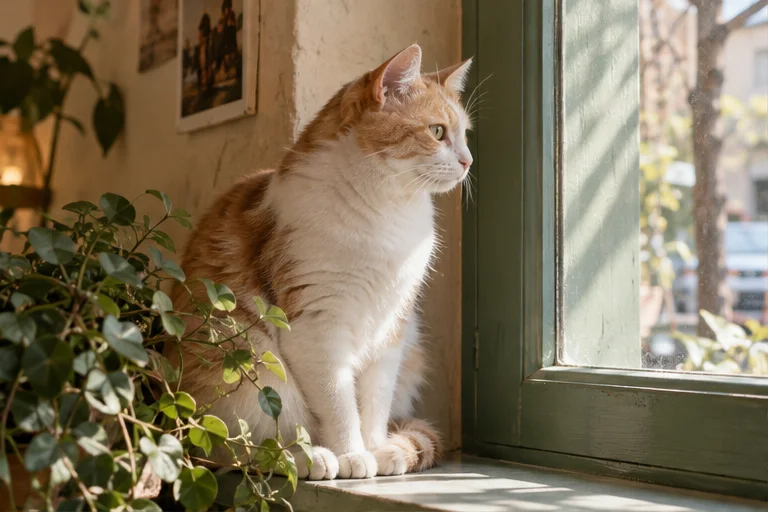
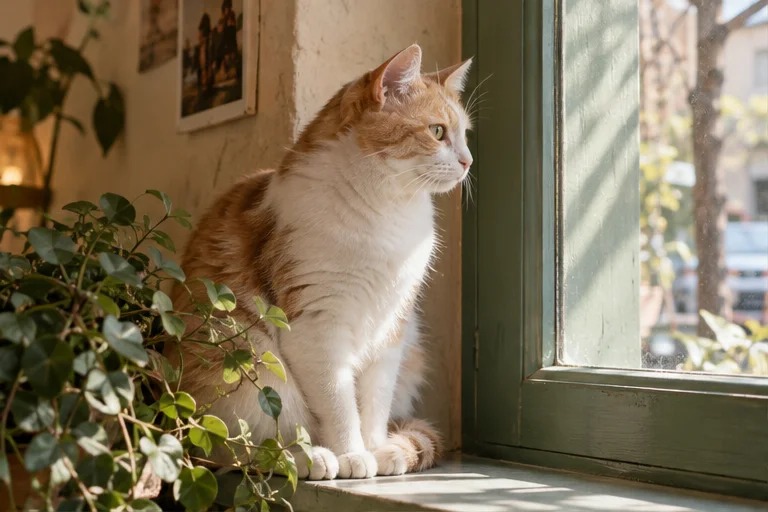
This example reduced file size by about 88% without changing its pixel dimensions. Open both files and compare fur detail, table edges and bright areas.
This output was produced in Edge. Other photos and browser encoders can yield different sizes and quality. The same reduction or output is not guaranteed for every file.
A synthetic 1,800 × 1,200px image of 7,228,718 bytes was converted to JPG with maximum width 1,000px and extra resizing allowed. The 1,024-byte-unit result was 101,068 bytes (695 × 463px); the submission-unit result was 99,607 bytes (687 × 458px).
This additional example was made in an image-engine test, rather than through the browser UI. The JPG was reopened and ZIP integrity checked. It does not establish acceptance by a submission service or the quality of a real portrait.
The original is unchanged, but reloading or closing the page clears the conversion list. Save and check the output before closing the page.
Raise the target if the destination allows it. If dimensions became too small, disable extra resizing and try again. A very small byte limit and fixed dimensions may require another original with a simpler background or separate editing.
Supported inputs are JPG, PNG, WebP, HEIC and HEIF. GIF and PDF are not supported. Limits are 10 files, 10MB each, 40MB total and 24 megapixels per image. For a large HEIC, keep the original and try exporting a JPG copy or a smaller version from your photo app.
Try one image at a time and close other memory-heavy tabs. Cancel conversion, then try a smaller input. Switch to JPG if WebP output fails. Reloading clears the current list, so save completed results first.
Check the browser’s download list and your device’s files or downloads folder. Whether a download is automatically added to a photo library depends on the device and browser. Open the saved file before submitting it.
Report an unresolved problem with your browser, input format and size, target settings and error text. You do not need to send a personal photo.
After conversion, Compare original / result shows both images at the same scale and position. Use the zoom and horizontal/vertical sliders with touch or a keyboard. At 100%, original pixels map to screen pixels; resized results are aligned to the original coordinates.
You can explicitly save up to 12 requirement profiles on this device. Confirm the destination’s rules yourself, choose exact or minimum dimensions, and check size, format and pixels after conversion. These checks cannot guarantee acceptance. Requirements contain no photo or filename. Remove has an Undo action. Existing conversion preferences are kept separately.